Aircraft Refuelling Strategy Planner (FUEL) SimulationRAiD 2 screens
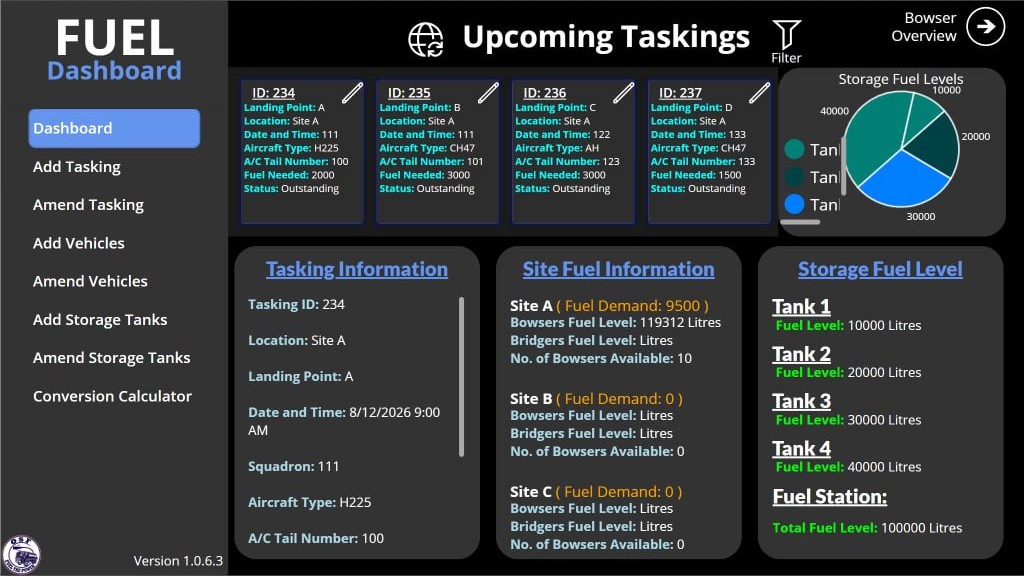
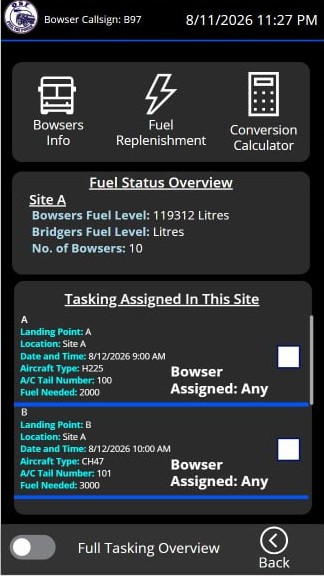
A strategy-planning tool for aircraft refuelling. It combines live operational data with historical trend to recommend a refuelling strategy ahead of time, so operators can decide quickly when conditions change.
- Recommends a refuelling strategy ahead of time from trend and live data, instead of operators working it out from scratch under time pressure
- Surfaces the recommendation alongside current conditions so operators can act on it or override it
Power Platform, with an AI-assisted forecasting model behind the recommendation. Currently a working pilot.
Supply & Demand Logistics Pipeline (MatFlow) SimulationRAiD 5 screens
A logistics planning system built around an automated pipeline for supply-and-demand requests. Operators monitor the pipeline instead of manually raising and tracking each request during time-critical periods.
- Automated pipeline raises supply and demand requests without manual tracking
- Shifts the operator's job from managing logistics by hand to monitoring pipeline status
Power Platform, with a custom automated request pipeline behind it. Currently a working pilot.
Fleet Maintenance Management System (MAVIS) ScalingRAiD 4 screens
Tracks vehicle and ground-equipment serviceability across an air-force fleet. Availability is computed, not typed — derived live from three independent sources of unserviceability, mirroring the database rule so the dashboard and the store cannot disagree. Corrective and preventive work each run through their own approval chain, and what any one person sees is the intersection of vehicle category, base, department and sub-department.
The maintenance half of the Air Specialist Vehicle platform. MILES, below, is the logbook half.
- A defect walks Waiting for assessment → Pending CEN Endorsement → Pending for Approval → Approved → Repair in progress → Ready for collection → Collected, with ADDL (Acceptable Defect Deferred Log), ADDL Expired and Rejected as branch states, and every transition gated by role
- Moving a scheduled Preventive Maintenance date is not a free edit but an LOS — Latitude of Servicing — request that clears approval bands before the dashboard reflects it
- A defect formally deferred as an ADDL keeps the asset serviceable only until its expiry date, after which the asset flips itself to ADDL Expired
- Eleven built-in roles plus custom roles, resolved by a security-definer function server-side rather than trusted from the client
- Five Postgres realtime channels push changes to the dashboard, coalesced through a 150ms per-table debounce so a burst write does not thrash the UI
The functions were proved in Power Apps first, then rebuilt as a full-stack application once per-user licensing stopped being viable for a user base that reached beyond the RSAF.
Air Specialist Vehicle Logbook (MILES) ScalingRAiD 4 screens
The logbook side of the same fleet: a mobile-first record of vehicle movement and use, built for people standing on a flight line rather than sitting at a desk. A trip runs a full lifecycle behind an approval gate, and pre-use inspections feed the same serviceability picture the maintenance system works from.
The logbook half of the Air Specialist Vehicle platform. MAVIS, above, is the maintenance half.
- A trip walks pending_approval → approved → ongoing → completed, with rejected as a branch, and approvers can clear many at once rather than one at a time
- Four roles — admin, facilitator, approver, driver — with more than one assignable to a person, enforced at three layers: route guards, 136 row-level-security policies over 31 tables, and per-request auth inside every edge function
- Digital pre-use inspections, configurable per vehicle type and per model, whose outcome drives whether the vehicle reads as serviceable
- Fuel accounted end to end — bulk tanks to refueller payload holdings to POL top-ups to a summary report — with forklifts tracked by hour-meter and vehicles by odometer
- Ground support equipment booked in and out of the same register as the vehicles, and every action written to an audit trail with actor, entity and timestamp
The functions were proved in Power Apps first, then rebuilt as a full-stack application once per-user licensing stopped being viable for a user base that reached beyond the RSAF.
BOLDFACE ScalingRAiD 3 screens
Weekly and monthly quiz training on memory-item emergency procedures for aircrew across eight airframes. Content is imported from Excel and CSV; a quiz cannot be submitted until every answer on it is correct, and each crew's readiness status is derived automatically rather than tracked by hand.
- Fill-in-the-blank, checklist-table and multiple-choice questions, graded case-insensitively against the authored answer
- Submit stays hidden until every question on a quiz is correct, with mastery enforced by the domain model rather than a UI check
- A cadence and rotation engine that derives Outstanding, Overdue, Upcoming and Completed status for every crew
- A readiness dashboard and status board, scoped by squadron or platform, showing who is current across all eight airframes
Delivered spec-first with OpenSpec change proposals, with the storage layer kept swappable behind the same call sites so Microsoft Dataverse can slot in without touching the app.
Rebuilt from the app's own interface code and design tokens, not photos and not invented. Figures shown are illustrative demo data.
GRID EnterpriseRAiD 4 screens
Goods receipts and invoices arriving across every unit in MINDEF SAF, not filed because the person who received the goods was already on to the next task. I designed and built the capture and repository app; a partner RPA team built the automation that files the extracted data into the finance forms.
Reads a photographed goods receipt or invoice, in whatever format the issuing company used, extracts the fields the finance form and the downstream RPA flow need, and stores every record in one auditable repository.
FUEL Up EnterpriseRAiD 6 screens
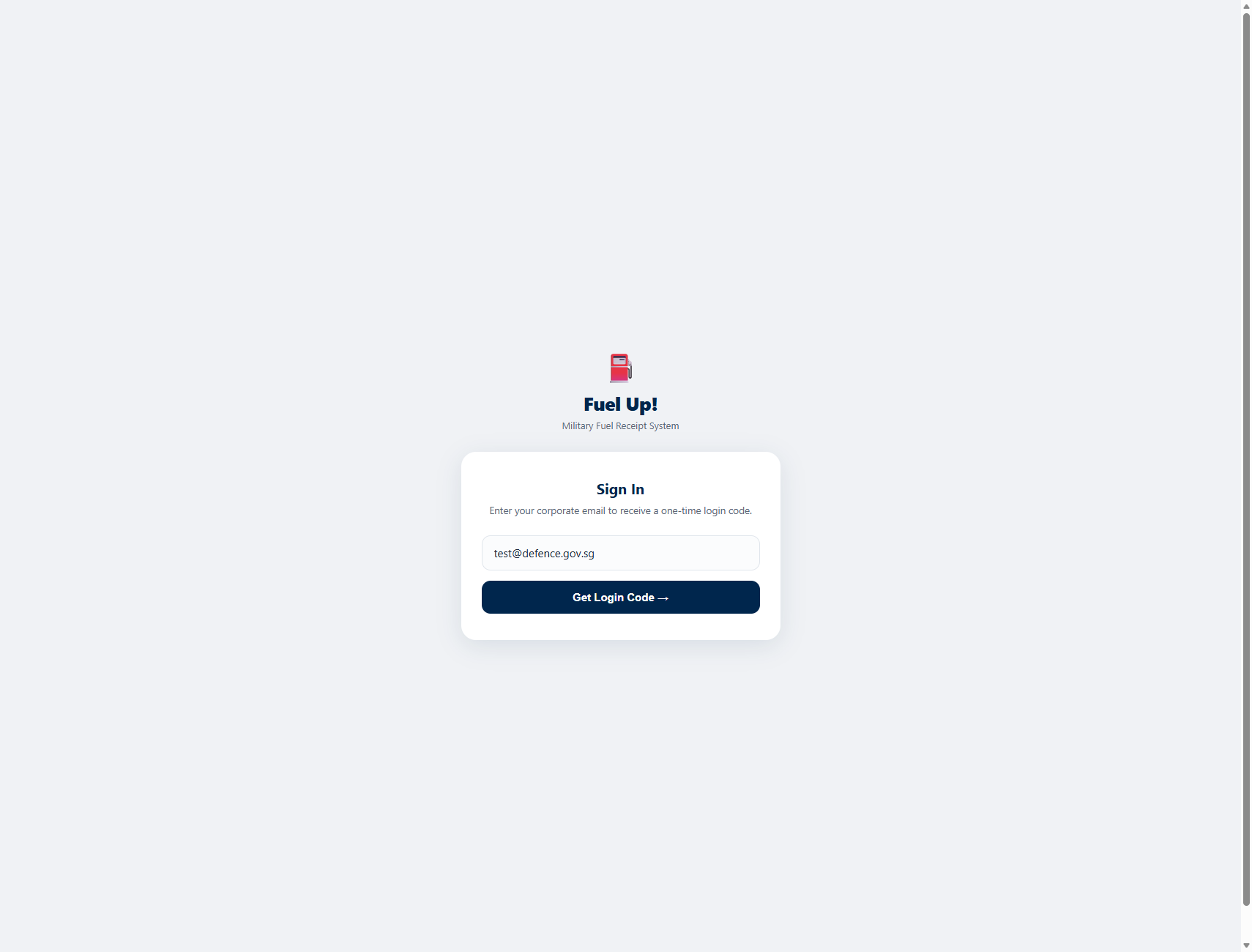
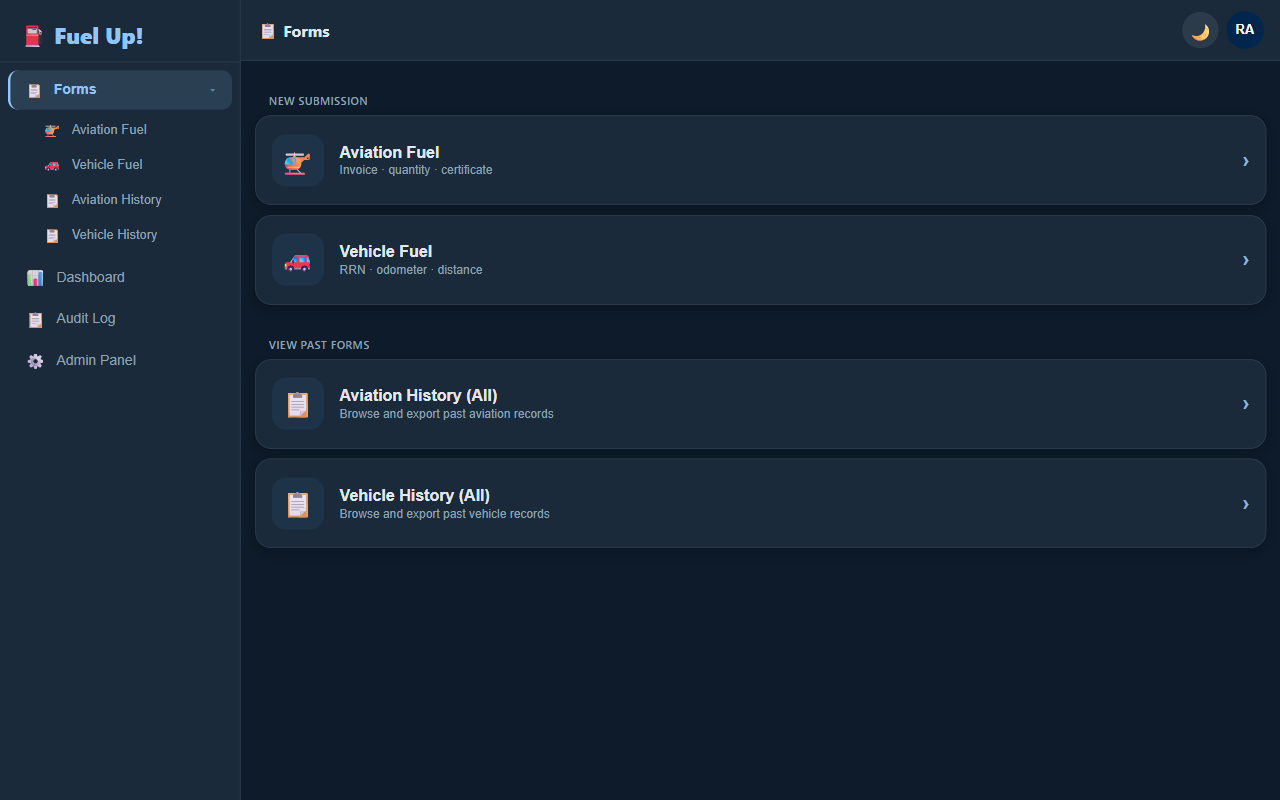
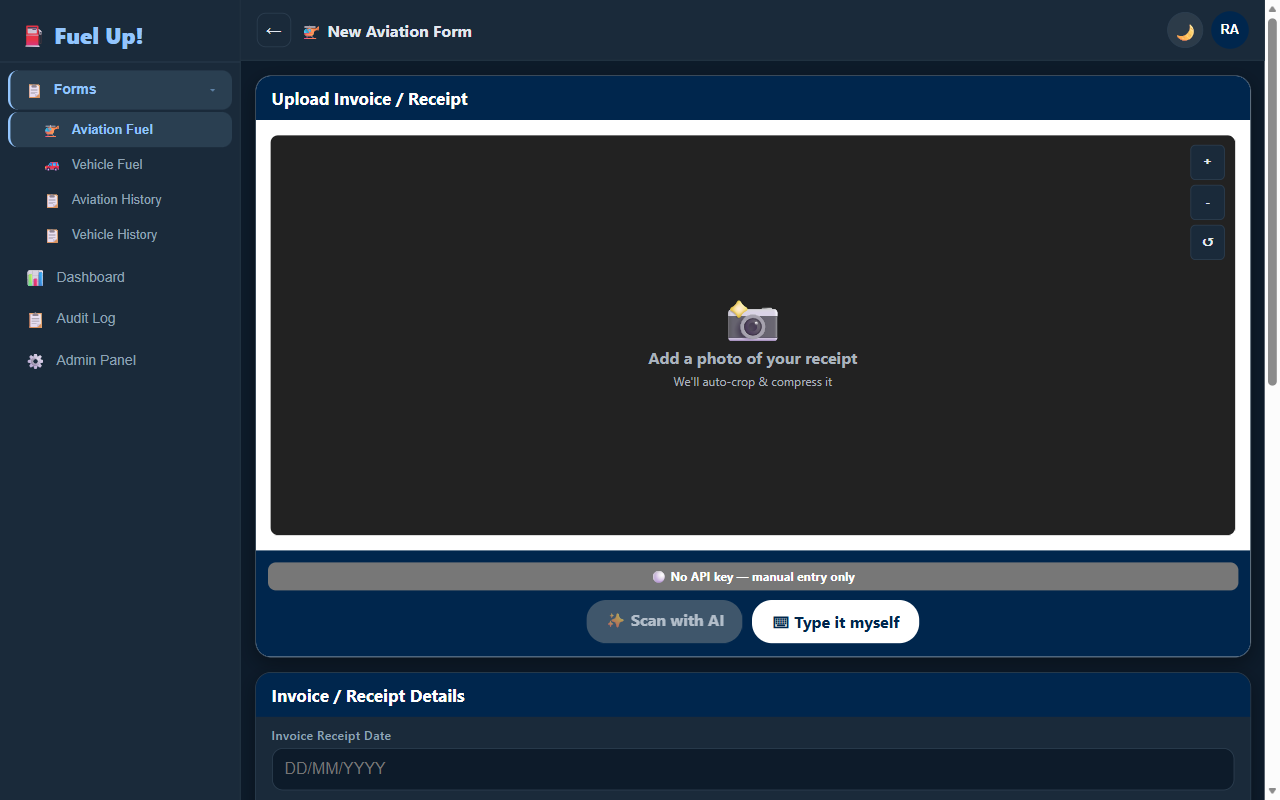
Fuel receipt claims ran on paper dockets, photographed and re-typed by hand for both aviation and vehicle fuel. I designed and built the app that replaced it: a whitelisted sign-in, a camera-first capture flow for the receipt itself, and an audit trail across every submission.
- Whitelist-gated sign-in with a one-time email login code, so there are no passwords to manage
- Camera capture of the fuel receipt or invoice, with manual entry as the fallback when no OCR key is configured
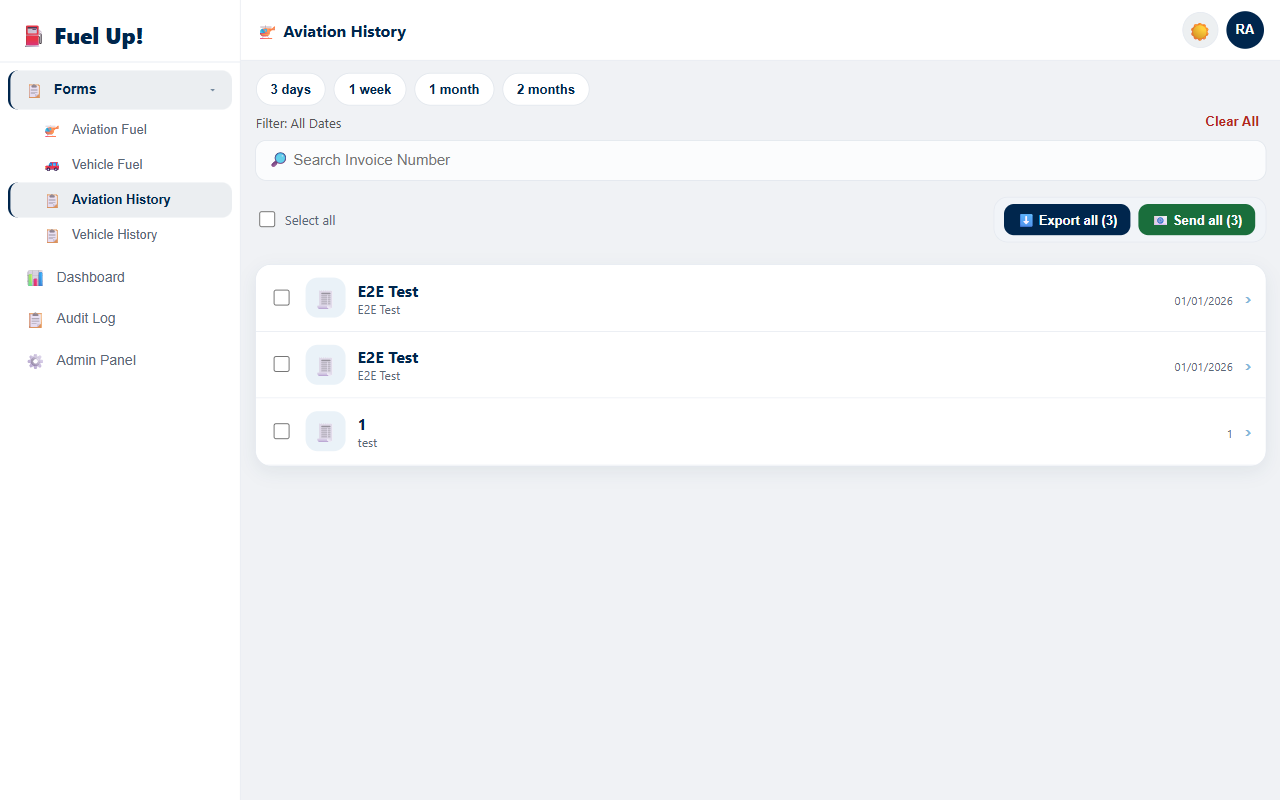
- Separate aviation and vehicle fuel forms, each with its own searchable, exportable history
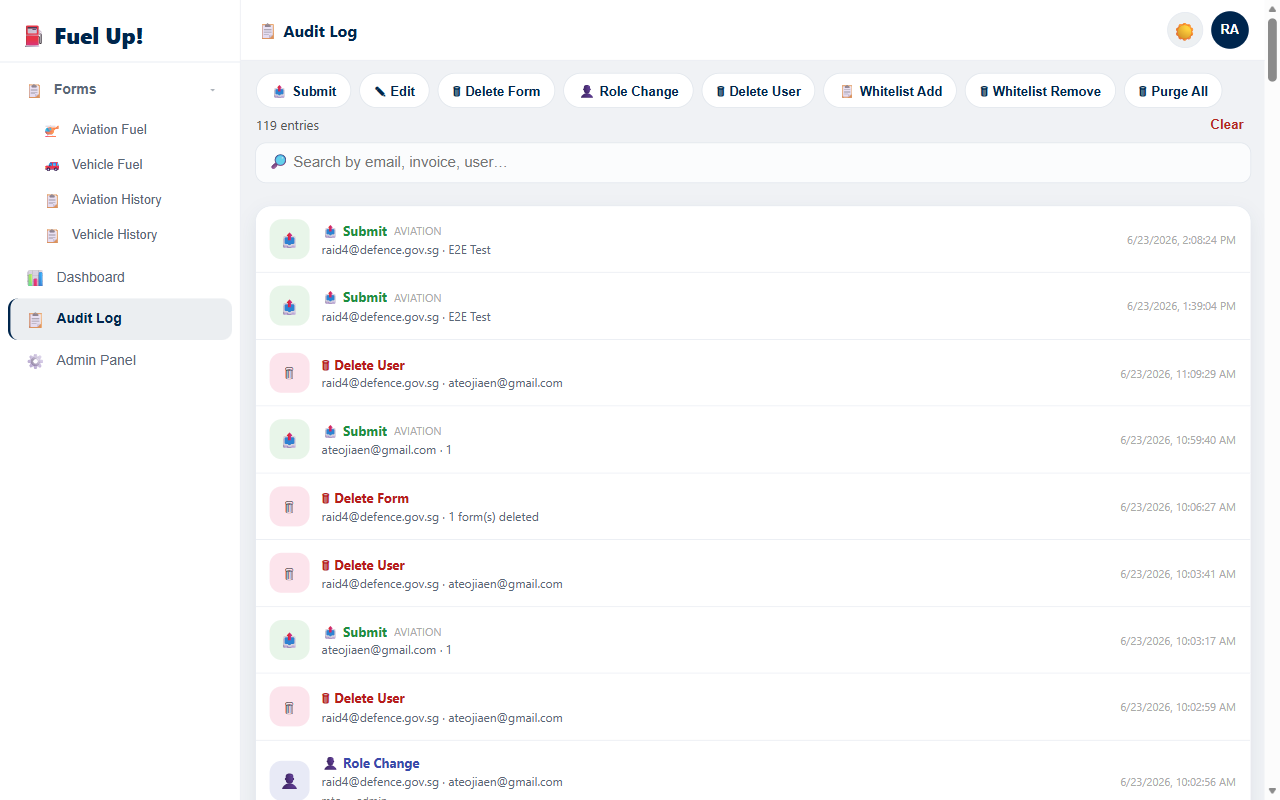
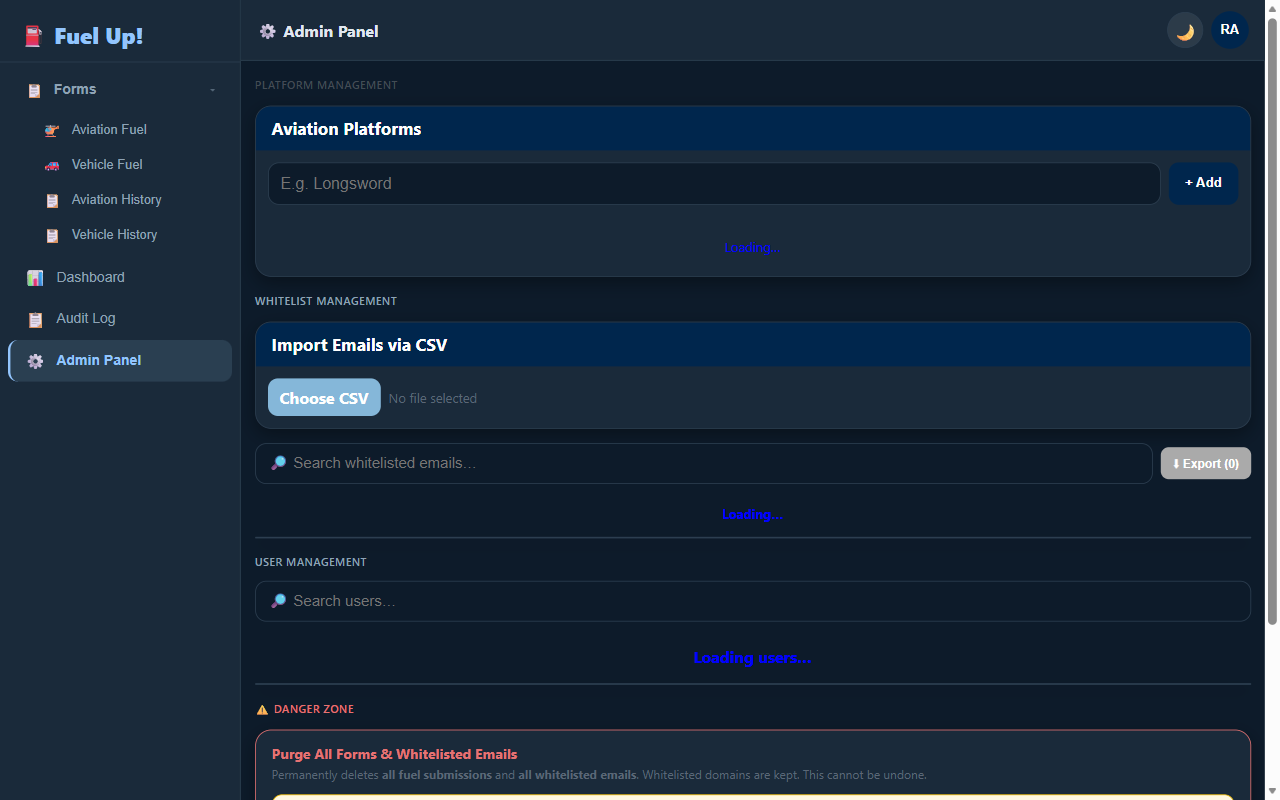
- A full audit log of every submit, edit, delete and role change, plus an admin panel for platforms, the email whitelist and users
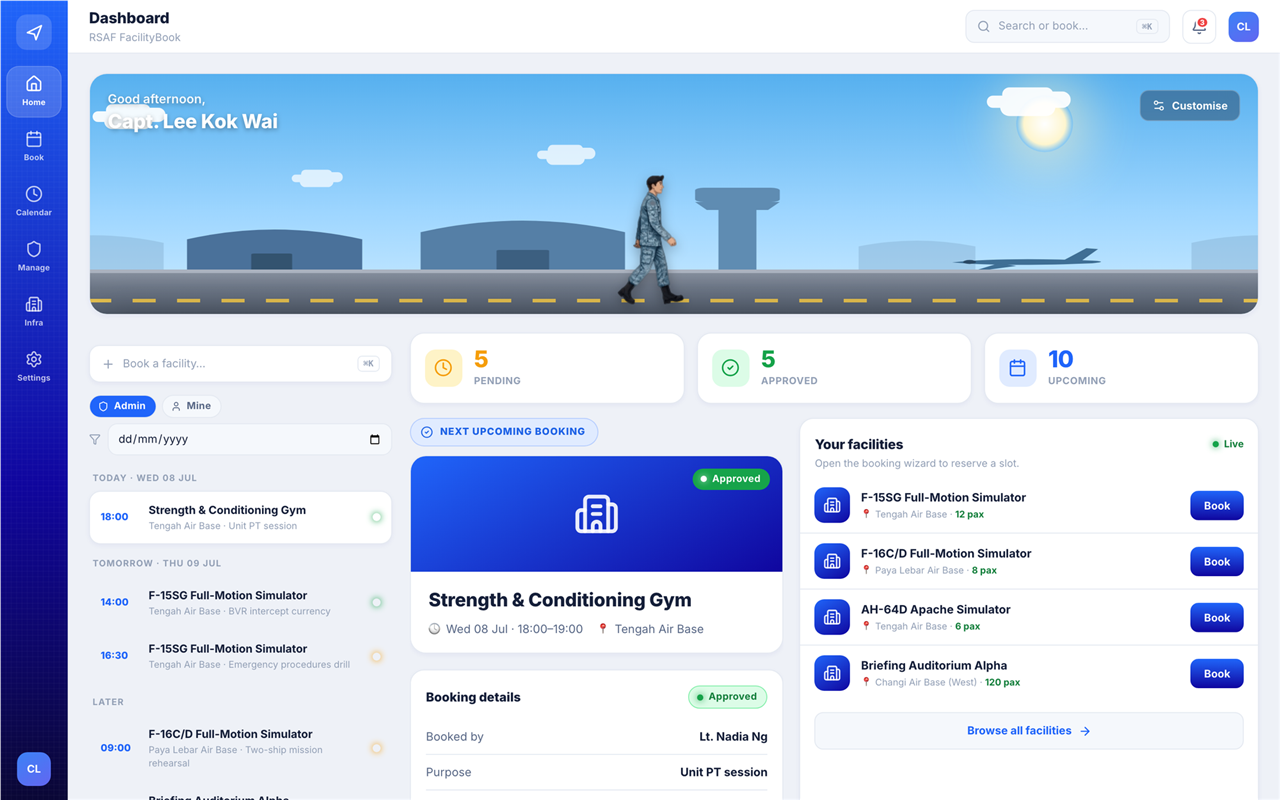
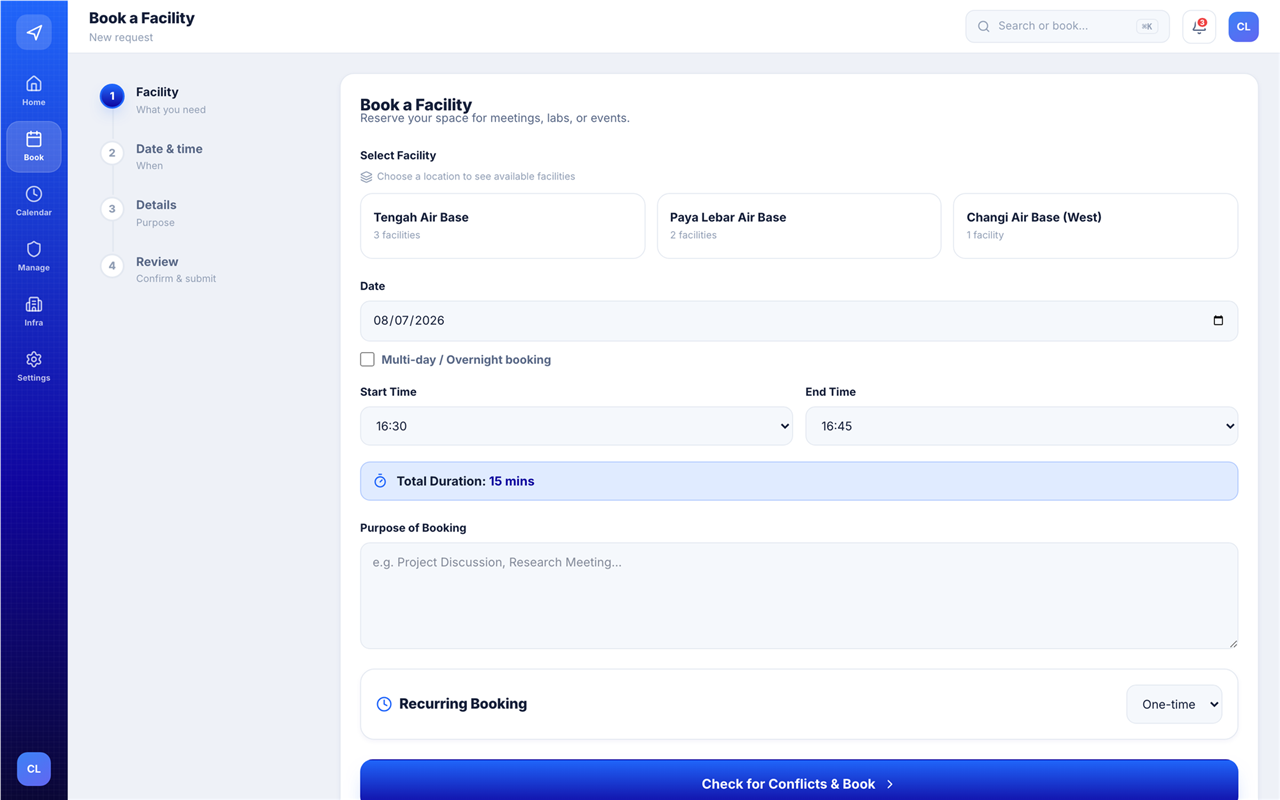
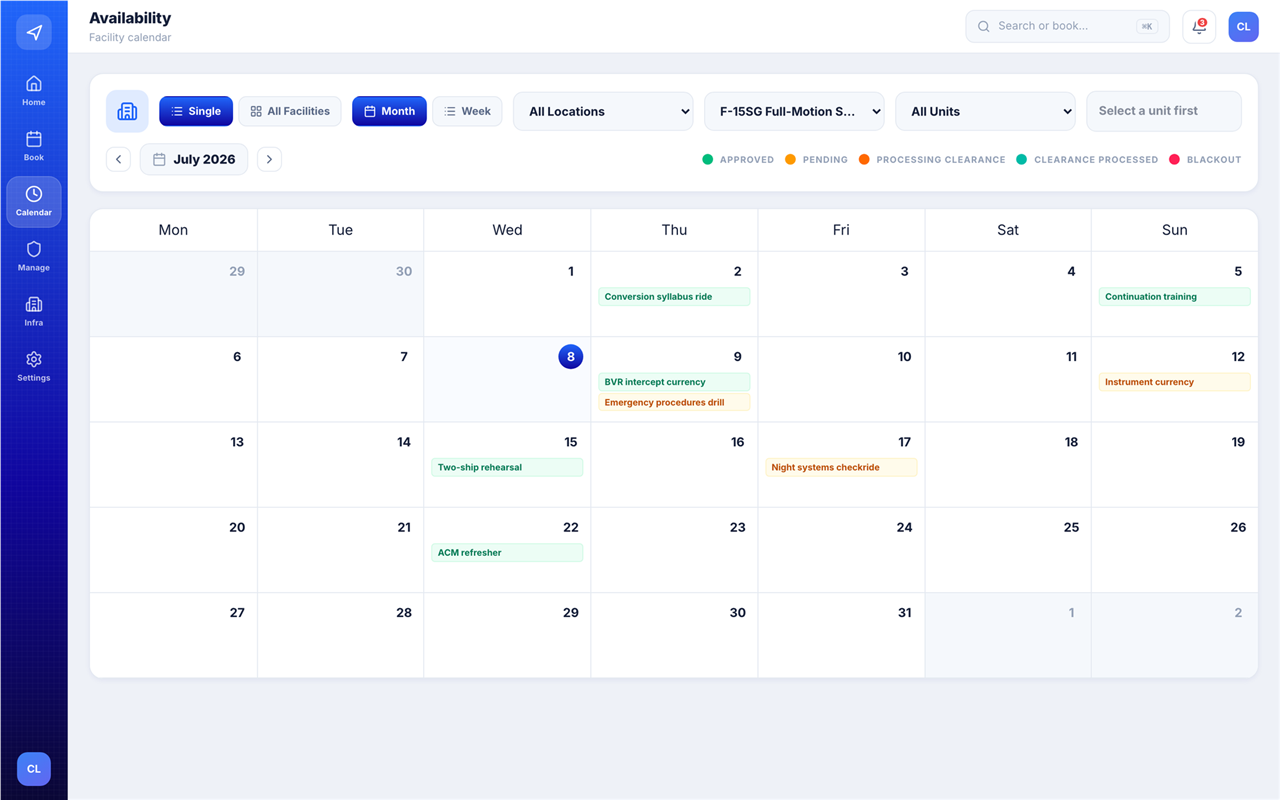
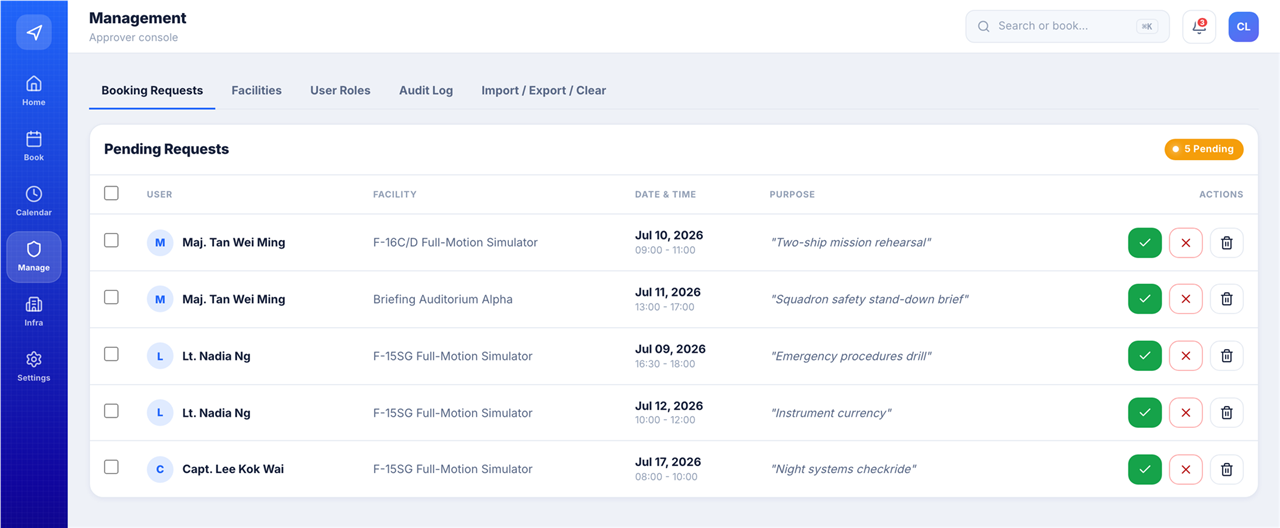
RSAF Facility Booking App EnterpriseRAiD 4 screens
A centralised facility reservation platform on Microsoft Dataverse and React, built as Developer and Product Owner.
- Role-based access control across four permission tiers
- Approval workflows with end-to-end visibility
- Real-time availability and conflict detection
- Recurring bookings for repeating schedules
- Audit logging on reservation records
- Soft-delete patterns and departmental isolation for multi-tenant use
Designed and implemented end-to-end with specs-driven development (frontend, API integration and data model) in two days, and demonstrated it to stakeholders in a dedicated session. Gemini 3.1, Claude Opus 4.6 and GitHub Copilot assisted the build; none of them runs in the shipped product.
Singapore Airshow 2026 Charity Auction AutomationRAiD
Auction tool allowing RSAF personnel to bid for charity bears as part of a charity movement for the Singapore Airshow.
Learned how to make use of FormSG and Plumber (Open Government Products) to safely store sensitive data and user contact details on the Internet considering policy constraints.
Simulator Assessment Duty Scheduler (SOAR) AutomationRAiD 4 screens
Plans simulator assessment missions across AM and PM waves, pairing a QFI with a Psych assessor on every mission. A missing half is a first-class state — flagged as a broken pair in the grid, on the assessor's own schedule, and in the dashboard's stability metric. Assessors raise covering requests with a reason and a suggested replacement; supervisors and admins approve or reject. Built as Lead Developer.
- Every weekday splits into an AM and a PM wave, with slot times and labels editable per day by an admin and copyable across days
- Each mission wants a QFI and a Psych assessor; an unfilled half is tracked as a broken pair rather than left silent
- Covering requests carry a reason and an optional suggested replacement, and move to History once decided
- Per-assessor duty counts drive a ranked workload chart, so over-tasking is visible before it is a problem; an admin can lock a published week against further changes
Using Lovable to create a quick prototype on the spot to gain user feedback, deploying to PowerApps safely. GitHub Copilot and Google AI Studio assisted the build; neither runs in the shipped app.
SSB Loan Tracking System AutomationRAiD
End-to-end workflow for SSB to track and approve the loaning of their logistic items.
Rapid prototyping using simple no-code tools to create a functional system and deploy within a day.
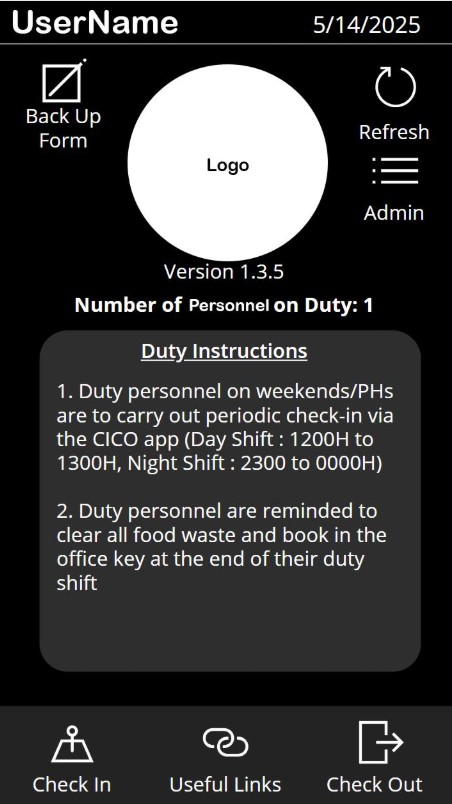
Workplace Check In/Out App AutomationFreelance 1 screen
Developed a PowerApp to simplify and automate the administrative workflow for duty management for duty personnel in an RSAF unit.
- Geofencing for check in/out at designated locations
- Logistics accountability and tracking
- Noticeboards for centralised announcements
- Hand-over features facilitating smooth transitions
Significantly improved the efficiency and accuracy of attendance tracking for duty personnel.
App Development for Lead Ambassadors CCA AutomationTemasek Poly
Designed an application as a secretary to help automate monthly meeting attendance as well as update databases.
App Development for Mindsports CCA AutomationTemasek Poly
Developed an app for Mindsports club which automates all workflows, taking attendance, and monitoring various logistics.
App Development for Poly Forum 2024 (SYLP) AutomationTemasek Poly
App developed for a nationwide event to efficiently manage attendance of 500 students through geofencing and score tabulation.
Code Apps Policy Approval (M365 Tenant) EnablementRAiD
Led the case to unlock Microsoft Power Apps Code Apps across the organisation's M365 environment, working through the relevant cybersecurity authorities within MINDEF.
Every Code Apps project in this portfolio was built after this approval. Before it, Code Apps could not be deployed in the environment at all.
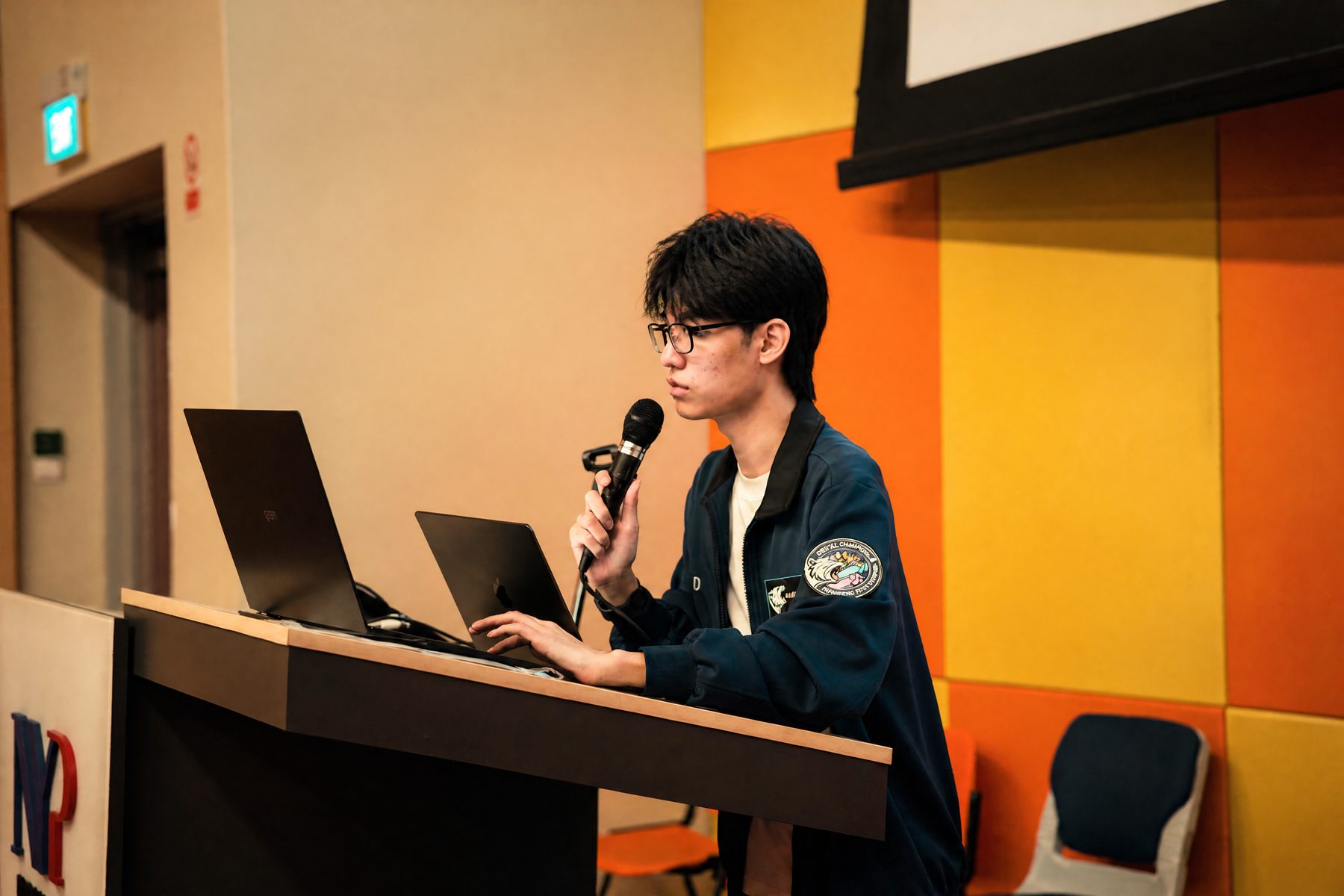
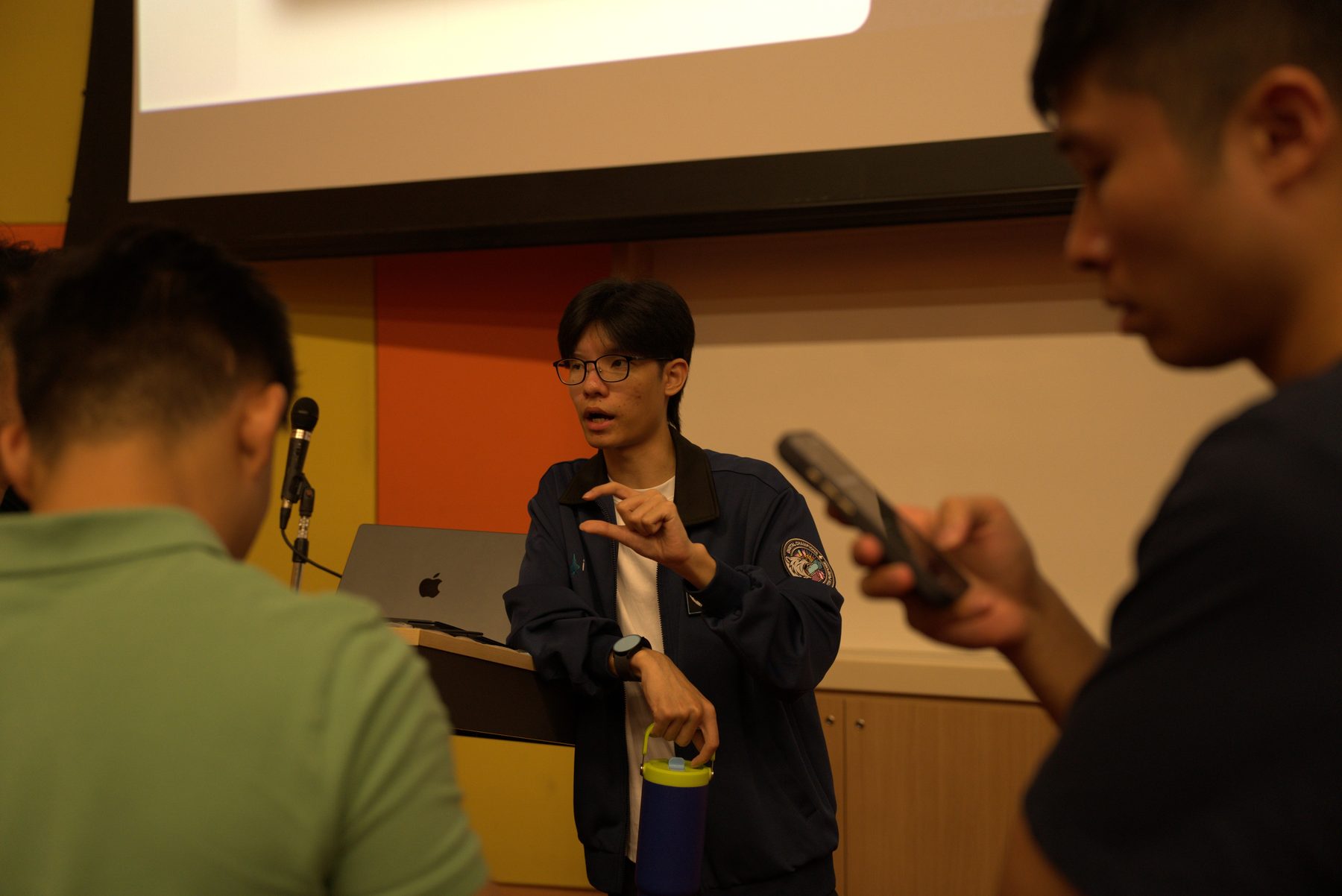
Vibe Coding Masterclass EnablementRAiD · NYP 2 screens
A large-scale masterclass on vibe-coding (directing AI coding agents from a spec to a working app, and reviewing everything they produce), run for a mixed cohort of citizen developers and engineers, joined by staff from Nanyang Polytechnic (NYP).
The syllabus covered prompt-driven development, rapid prototyping and Power Apps deployment.
Staff from Nanyang Polytechnic attended alongside RSAF personnel. Internally the masterclass was recognised in PPCoE updates, and attendance held across the cohort.
R&D for Vibe-Coding Code Apps EnablementRAiD
Explored AI vibe-coding tools to design an end-to-end development workflow for PowerApps Code Apps.
Designed a systematic workflow that reduced development time from months to days for Digital Champions and RAiD developers.
App Marketing Skill (marketing-pr) EnablementOpen source
A published AI agent skill that takes a GitHub repository and returns the launch material for it. Point it at a repo and it produces a landing page, two infographics, a video composition and a LinkedIn post, using screenshots of the real app rather than mock-ups. Released publicly under MIT, installable in Claude Code and Google Antigravity.
A citizen developer finishes an internal app and then has to convince people to use it. That second job needs screenshots, a page and a post: skills the build didn't require, and time the builder doesn't have.
- Clones the target repo read-only into a temporary directory and never writes back to it
- Runs a threat scan before anything executes; the app is only booted, with mock data, after it passes
- Captures the app's actual screens, and falls back to static reconstructions when Node or a headless browser isn't available, rather than failing
- Emits a marketing spec, a zero-dependency HTML landing page, 16:9 and 9:16 SVG infographics, a Remotion video composition, and LinkedIn copy
Writing a skill someone else installs is a different discipline from writing one for yourself: it has to refuse to damage a stranger's repository, and it has to degrade instead of crash when their machine is missing a tool.
Google AI Studio System Prompt EnablementOpen source
A system prompt, published for anyone to paste into Google AI Studio's instructions field, that changes how an AI coding assistant behaves before it writes a line: plan first, get approval, stay inside the request.
Left alone, a coding assistant is agreeable and eager: it starts editing on the first message and adds things nobody asked for. For someone who can read the output but not yet audit it line by line, that is the failure mode that costs the most time.
- Holds an approval gate: no change to code, files, data model, dependencies or structure until a complete implementation plan has been shown and accepted
- Requires two or three distinct approaches on anything substantial, conventional and unconventional, before one is chosen
- Bans unrequested features, pages, integrations and redesigns mid-implementation
- Instructs the assistant to stop the moment an assumption turns out to be false, and to be direct rather than agreeable
The useful part of a system prompt is the refusals, not the encouragement.
Documentation Generation Tool (PowerDocu) EnablementRAiD
Collaboration with Cydef to clear an open-source documentation generation tool for PowerApps. It came through cleared on both counts: for my own use, and for citizen developers generally.
Learned about cybersecurity scanning architecture, policy constraints, and how to collaborate with departments to clear tools for citizen developers.
SAGE Copilot AI EnablementRAiD
Integrating SAGE's ME5 Delta Agent into Copilot for training purposes using open-source models.
RSAF engineers learning to look after the people on their own team: practice at a conversation that is hard to rehearse without a real subordinate in front of you.
The agent plays the teammate: a shy one, with something on their mind they are afraid to raise with their boss. The engineer role-plays the conversation and finds out what their questions actually surface. It runs on open-source models inside Copilot, for training use.
Navigated license constraints creatively to replicate GPT-4.1 concepts, managing context engineering to prevent hallucinations.
1-Day Power Platform Bootcamp (815 SQN) EnablementRAiD
Condensed a 2-day bootcamp into 1 day for 35 users, curating new interactive learning materials. Lovable carried the build half: a working full-stack prototype fast enough that attendees could put a real workflow in front of a user the same day.
Comprehensive Guide for New Interns EnablementRAiD
Developed a guide using PowerLib, Google AI Studio, and Lovable to expedite learning curves for the PPCoE team.
Google Colab Text-to-Flowchart Bot EnablementTemasek Poly
Created an AI tool using Python and ChatGPT 3.5 that generates flowcharts from text.
Me, for my own coursework. I was drawing assignment flowcharts by hand from written descriptions, and wanted to describe one and get it back as a graph. The interesting part turned out to be teaching the model to hold its output to the exact code format the Flowgiston Python library would accept.
Explored prompt engineering and integrating Python libraries together in a single notebook for workflow tools.
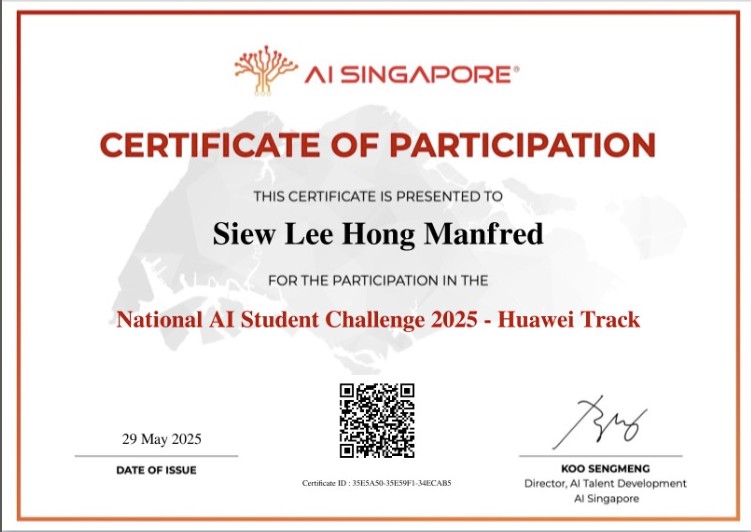
National AI Student Challenge 2025 · Huawei Track CompetitionTemasek Poly
Mobile app to improve citizen engagement and civic services, allowing people to report issues and track the progress of their requests.
Certificate of Participation from AI Singapore.
Exposure to ML algorithms, various cloud technologies in Huawei's ecosystem, and MLOps. Introduced to the AI development field.
Whitehacks 2025 (Cybersecurity CTF) CompetitionTemasek Poly
Cybersecurity CTF competition organised by SMU. Used tools such as Wireshark, John the Ripper, and Z-steg.
Introduced to various cybersecurity practices transitioning from an engineering background.
Iron Viz Student Edition CompetitionTemasek Poly
Data visualization contest to develop visualization skills. Conducted data analysis and created compelling visualizations.
WorldSkills Training (Aircraft Maintenance) CredentialTemasek Poly
Acquired technical skills essential for aircraft maintenance at Lufthansa Technical Training Center, experiencing high-pressure scenarios.
Learned riveting, soldering, and composite materials. Instilled resilience, self-discipline, and the ability to handle stress.
Project Management Tracker ScalingRAiD
A planning tool used across RSAF teams to lay out tasks and assign them to the people doing the work. It is in use now and scaling toward an enterprise deployment.
Named on the Work page's Security & governance section: I acted as Security Reviewer on it.